How Coupons Work: A Complete Guide to Saving Money Online
coupon codes from around the web

Coupons and promo codes are one of the simplest ways to lower what you pay online, but not all coupons work the same way, and not every “deal” is actually a good one. This guide breaks down how online coupons actually work, when they’re worth using, and exactly how to apply a code from Raging Coupon at checkout , so you can shop with confidence instead of guessing.

What Is a Coupon Code?

A coupon code (also called a promo code or discount code) is a string of letters and/or numbers you enter at checkout to reduce your order total. Retailers issue codes for a specific purpose to attract new customers, clear inventory, reward loyal shoppers, or promote a seasonal sale and each code comes with its own rules: a minimum spend, an expiration date, and sometimes restrictions on which products qualify.

Unlike a site-wide sale price, a coupon code only applies when a shopper actively enters it, which is why the same product can show a different final price depending on whether a valid code is used.

Types of Coupons You'll Find

  • Percentage-off codes: e.g. “15% off your order” usually the best fit for larger carts, since the discount scales with your total.
  • Fixed-dollar codes: e.g. “$10 off orders $50+” — often better for smaller, targeted purchases where a flat discount is worth more than a percentage.
  • Free shipping codes: remove delivery cost rather than discounting the item price; most useful on lower-cost items where shipping is a large share of the total.
  • New-customer codes: restricted to a shopper’s first order with a retailer, typically offering the largest discount.
  • Sitewide vs. category-specific codes: sitewide codes apply across (almost) everything; category codes are restricted to specific product types and usually offer a bigger discount in exchange for the narrower scope.
  • Cashback offers: technically not a coupon code, but a rebate paid back after purchase through a cashback portal; can be combined with a coupon code in many cases since it applies after checkout rather than at it.

Why Use Coupons?

Beyond the obvious paying less coupons change a few things about how you shop if you use them well:

  • Lower cost per order without waiting for a store-wide sale to happen on its own schedule.
  • Better timing control codes tied to events (holiday sales, new-customer windows) let you plan larger purchases around known discount periods.
  • Try new retailers at lower risk a new-customer code reduces the cost of testing out a store you haven’t ordered from before.
  • No downside to checking applying a code costs nothing if it doesn’t work; the only “cost” is the couple of seconds it takes to try.

How to Use a Coupon Code from Raging Coupon

Step 1: Find the store you’re shopping at using the search bar or store directory on Raging Coupon.
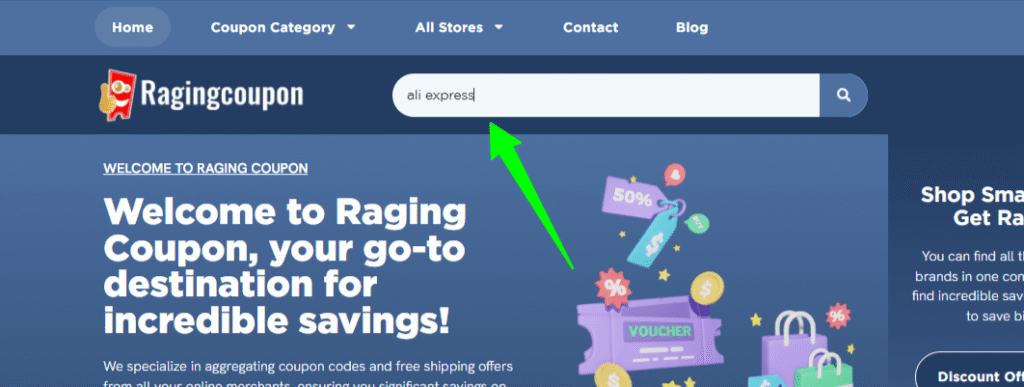
Step 1

Step 2: Browse the active offers listed on that store’s page and pick the one that best matches your order (check the minimum spend and any exclusions listed under each offer).
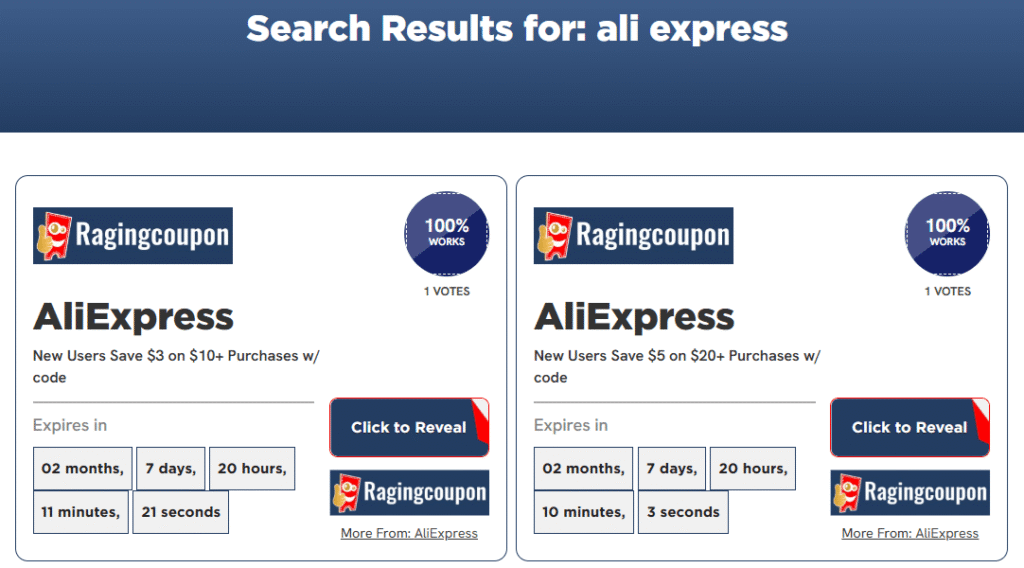
Step 3: Click “Click to reveal” to reveal the code.
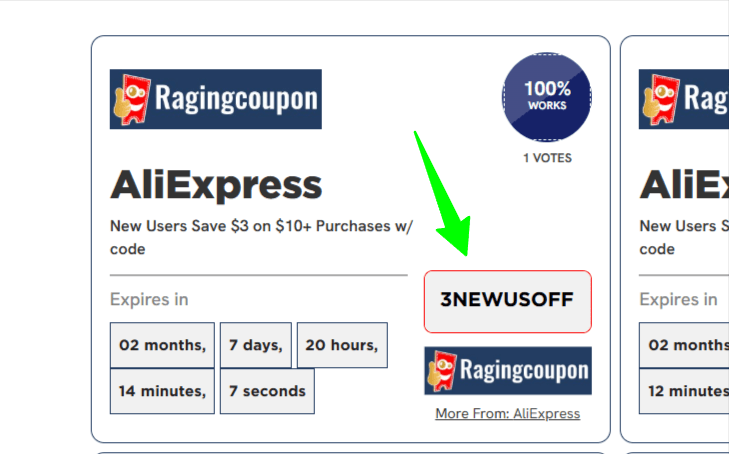
Step 4: Copy the code, then add your items to your cart on the retailer’s website.

Step 5: At checkout, find the field labeled “Coupon Code,” “Promo Code,” or “Discount Code” — usually just above the order total.

Step 6: Paste the code exactly as shown (codes are case-sensitive) and click Apply.

Step 7: Confirm the discount reflects in your total before you complete payment. If it doesn’t apply, double-check the code’s minimum spend and exclusions listed on our site.

Tips for Getting the Most Out of Coupons

  • Compare codes before choosing one, a bigger percentage isn’t always the better deal once minimum spend and exclusions are factored in.
  • Check the expiration date before you shop, not after you’ve built a cart.
  • Read exclusions carefully. Many sitewide codes exclude sale items, gift cards, or specific brands/categories.
  • Only one code per order in most cases. Retailers rarely allow stacking multiple coupon codes on a single purchase.
  • Sign up for retailer newsletters if you shop a store regularly. Many welcome and repeat-customer codes are only distributed that way.

Common Coupon Mistakes to Avoid

  • Assuming a code is still valid without checking the “last verified” date.
  • Missing a minimum-spend requirement and having the code rejected at checkout.
  • Copying extra spaces or characters when copying a code manually.
  • Not checking whether an item is excluded from a sitewide promotion before adding it to the cart.
  • Waiting until after checkout to look for a code. Some retailers won’t let you apply one retroactively.

Frequently Asked Questions

  • Are coupon codes from Raging Coupon free to use?

    Yes. There's no cost or account requirement to view or use any coupon code listed on Raging Coupon.

  • Why do some coupon codes stop working?

    Retailers set expiration dates and usage limits on codes, and some are pulled early once a promotional budget is used up. We recheck codes regularly and mark ones that fail, but a code can occasionally expire between checks.

  • Can I combine a coupon code with a cashback offer?

    Often yes. Cashback is typically paid based on your final order total after a coupon is applied, since it's tracked separately through a cashback portal rather than entered at checkout like a code.

  • Do I need to create an account to use a coupon code?

    No account with Raging Coupon is required. Some coupon codes themselves are restricted to shoppers with (or without) an existing account on the retailer's site. This will be noted under the offer if it applies.

  • What's the difference between a coupon code and a deal?

    A coupon code requires entering text at checkout to unlock a discount. A “deal” or “offer” is usually already reflected in the listed price or activated with a single click, with no code to enter.